6.7 KiB
Dynavera: An Agentic Approach to Role-Specific Trainers









Dynavera is a distributed agentic onboarding platform designed to solve the productivity gap in organizational training. The motivation was to create a system that delivers tailored, retrieval-grounded guidance for new roles, leveraging modern AI and orchestration techniques. This project was built to address the challenge of scalable, role-specific onboarding—where generic training fails to meet the needs of specialized positions. By combining curriculum generation, document-grounded retrieval, and live progress tracking, Dynavera enables organizations to onboard users efficiently and transparently. Through this project, I learned how to architect distributed systems, integrate retrieval-augmented generation, and design agent workflows for real-world impact.
Table of Contents
- Overview
- Core Features
- Architecture
- Quick Start
- Usage & Smoke Test
- Project Structure
- Demo Access
- Operational Commands
- Screenshots
- Documentation
Overview & Core Features
Dynavera addresses the onboarding productivity gap by combining:
- Role-aware curriculum generation
- Retrieval-augmented responses grounded in uploaded organizational documents
- Tool-aware orchestration over WebSockets
- Local-first inference support for privacy-sensitive deployments
The runtime is intentionally distributed: Django manages state and governance, while a dedicated inference service handles model-intensive workloads.
Key features:
- Distributed architecture separating application control plane and inference plane
- Multi-agent style orchestration for curriculum, knowledge, assessment, and monitoring behaviors
- RAG pipeline with semantic chunking, embeddings, and pgvector retrieval
- Live onboarding session updates via Django Channels WebSockets
- Persistent session/progress storage for auditability and recovery
Architecture
High-level architecture diagram:
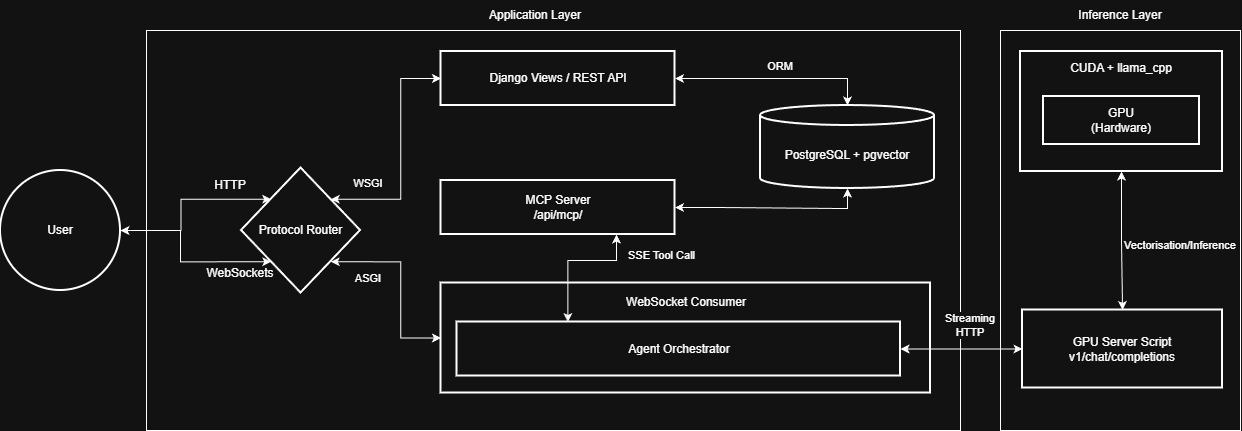
Key backend runtime entry points:
apps/onboarding/consumers/for orchestration loop and WebSocket flowapps/onboarding/mcp.pyfor tool routing and backend tool executionapps/knowledge/tasks.pyfor ingestion/chunking/embedding workflowgpu_server.pyfor inference and embedding endpoints
Quick Start
Prerequisites:
- Docker Engine or Docker Desktop
- NVIDIA drivers and NVIDIA Container Toolkit (for GPU inference)
- Clone repository
git clone https://git.cs.bham.ac.uk/projects-2025-26/vxn217
cd vxn217
- Create environment file
PowerShell:
Copy-Item .env.template .env
CMD:
copy .env.template .env
macOS/Linux:
cp .env.template .env
- Start development stack
docker compose -f compose/dev/docker-compose.yml --env-file .env up -d --build
- Open application
Usage/Smoke Test
Follow this end-to-end workflow to use the project and to run the smoke test:
- Create or select an organization and role
- Upload role-specific training files
- Wait for ingestion and embedding to complete (monitor the ingestion UI or logs)
- Invite a user to the configured role
- Log in as that user and start onboarding
- Complete at least one guided interaction and one assessment action
Expected behaviour:
- Workflow completes without manual page refresh
- UI state transitions update live
- No dropped WebSocket session during onboarding
Project Structure
apps/accountsuser, organization, and role membership logicapps/knowledgetraining file ingestion and vector document persistenceapps/onboardingsessions, orchestration runtime, and tool integrationconfigDjango settings, routing, ASGI/WSGI wiringcomposedevelopment and production container configurationsitefrontend applicationdocsarchitecture and deployment documentation
Demo Access
Hosted URL:
Evaluation credentials:
| Role | Password | |
|---|---|---|
| Admin | admin@example.com | admin |
| Manager | haleisaac@example.com | password |
| User | j.thompson@example.com | password |
Manager registration code: MANAGER2026
Operational Commands
Stop services:
docker compose -f compose/dev/docker-compose.yml --env-file .env down
Tail logs:
docker compose -f compose/dev/docker-compose.yml --env-file .env logs -f
Run migrations:
docker exec -it fyp-django-dev python manage.py migrate
Reset seeded passwords:
docker exec -it fyp-django-dev python manage.py reset_passwords
Screenshots
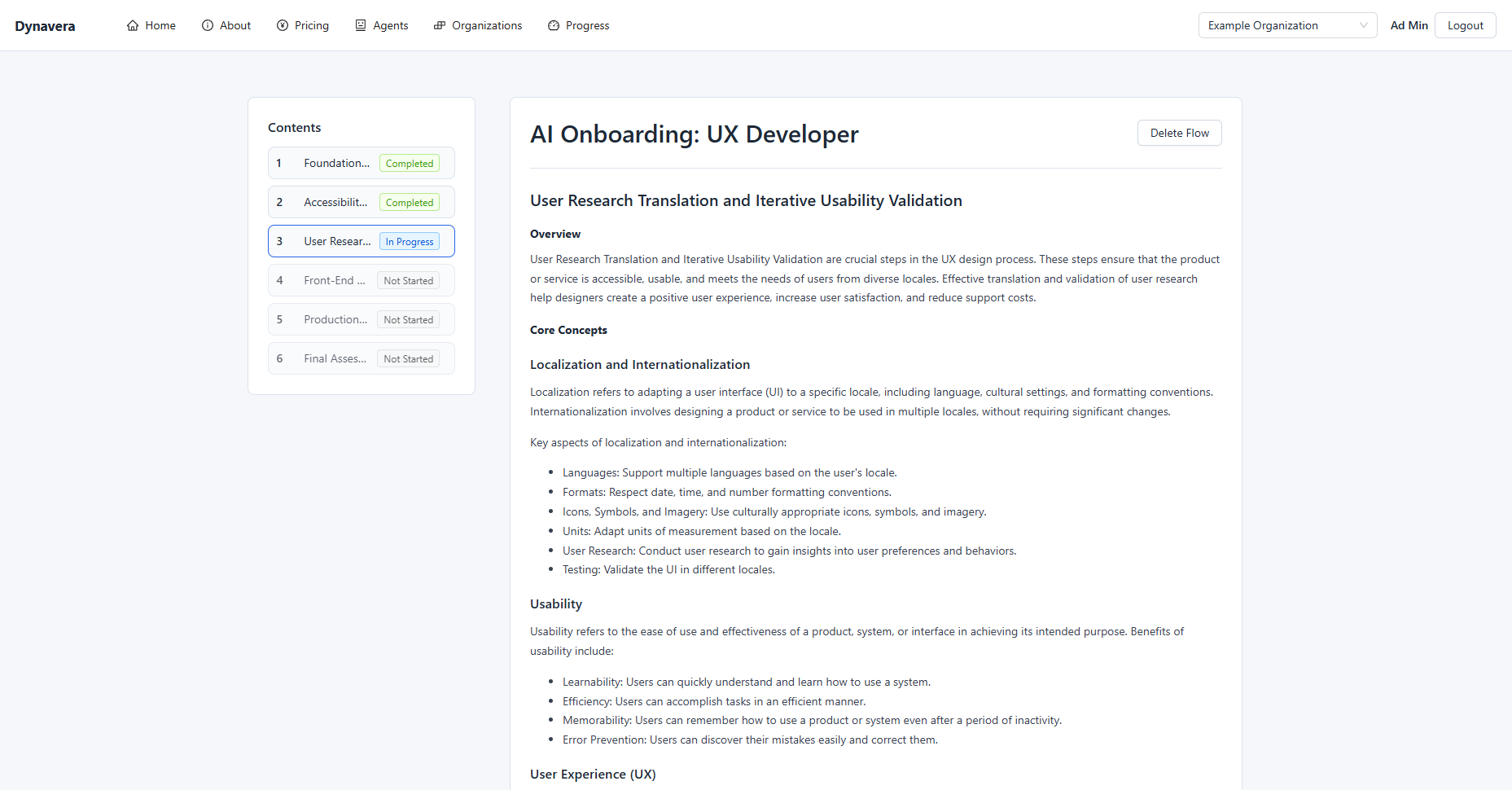
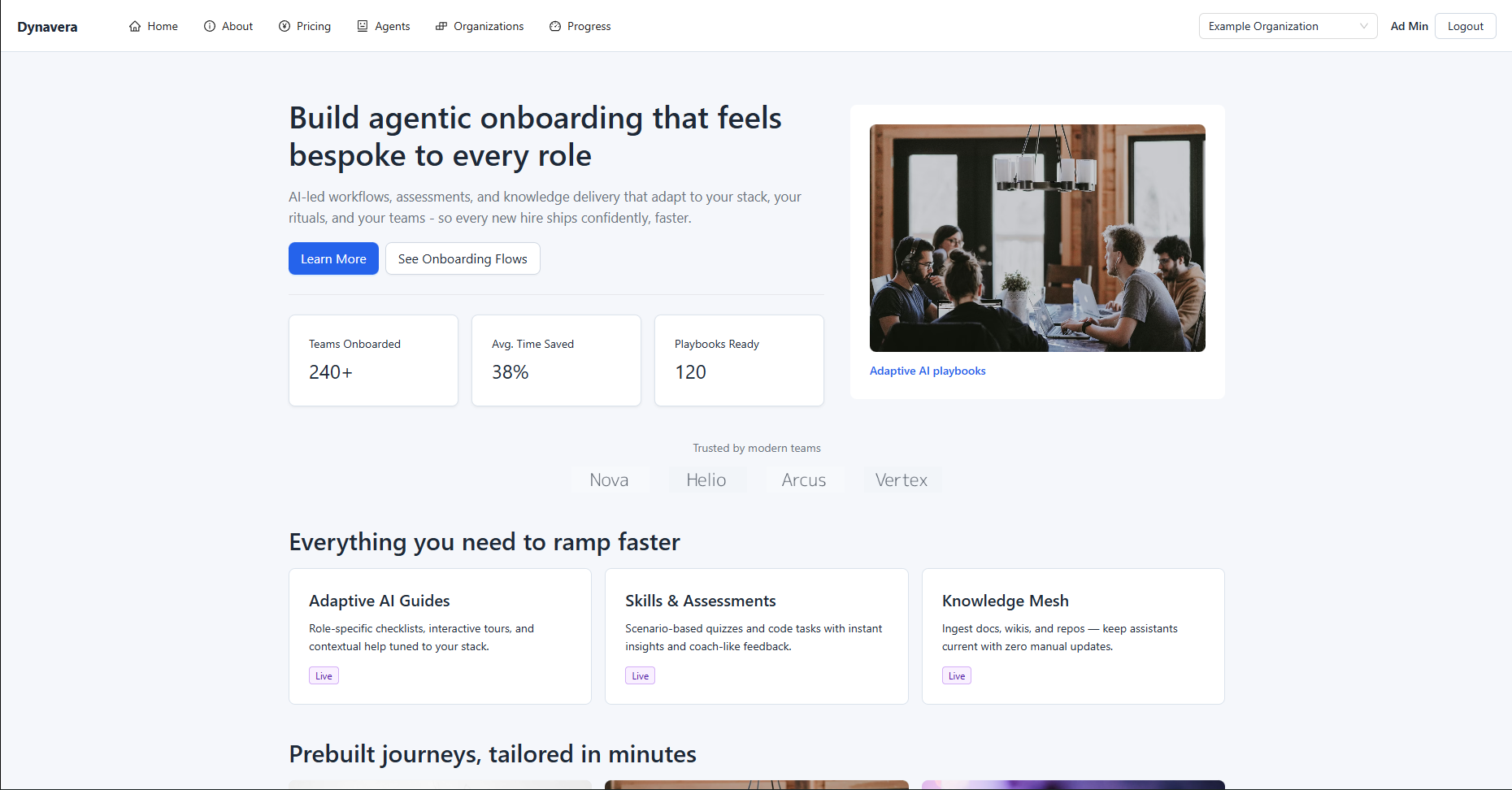
Home:
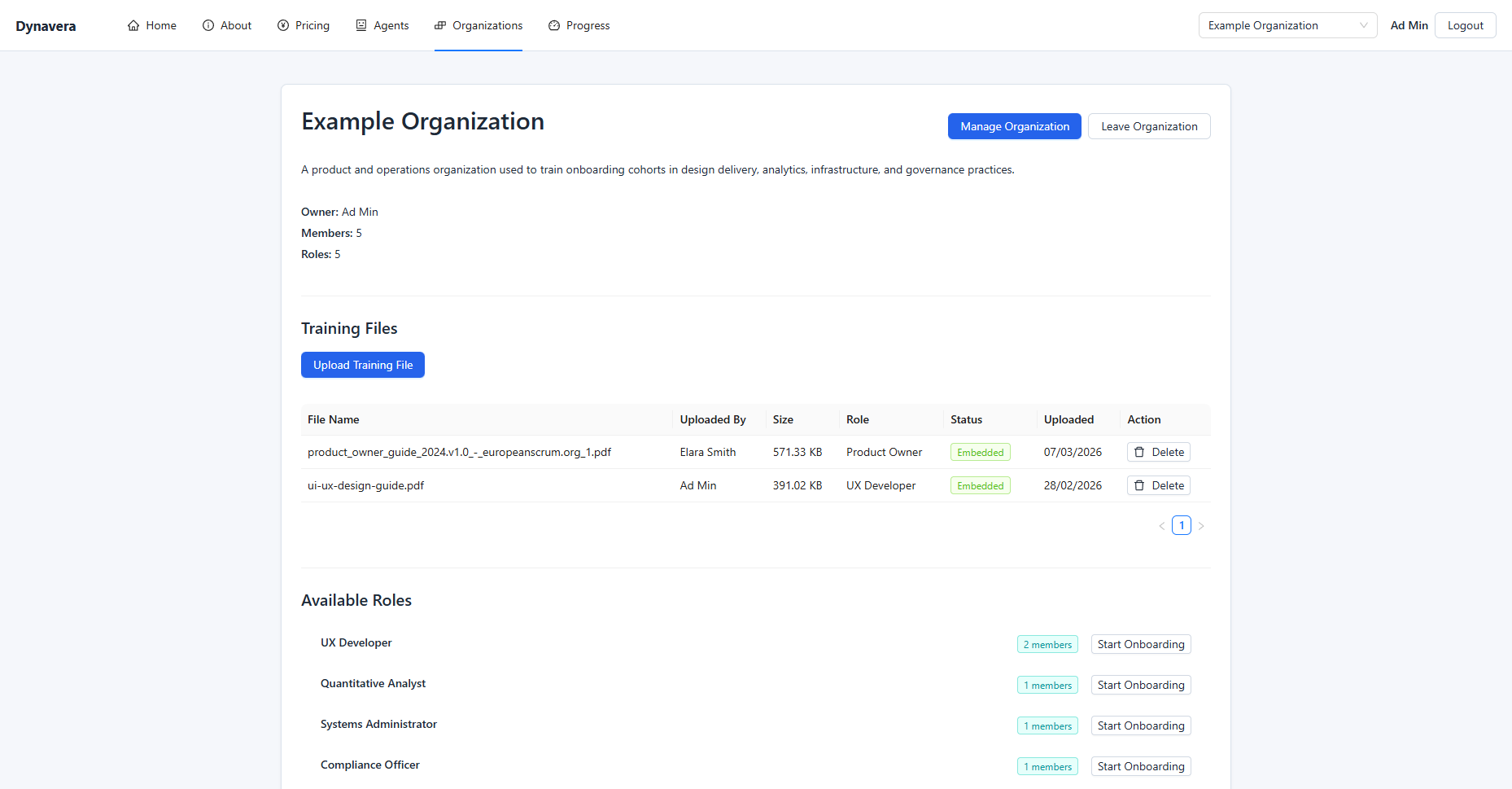
Organization:
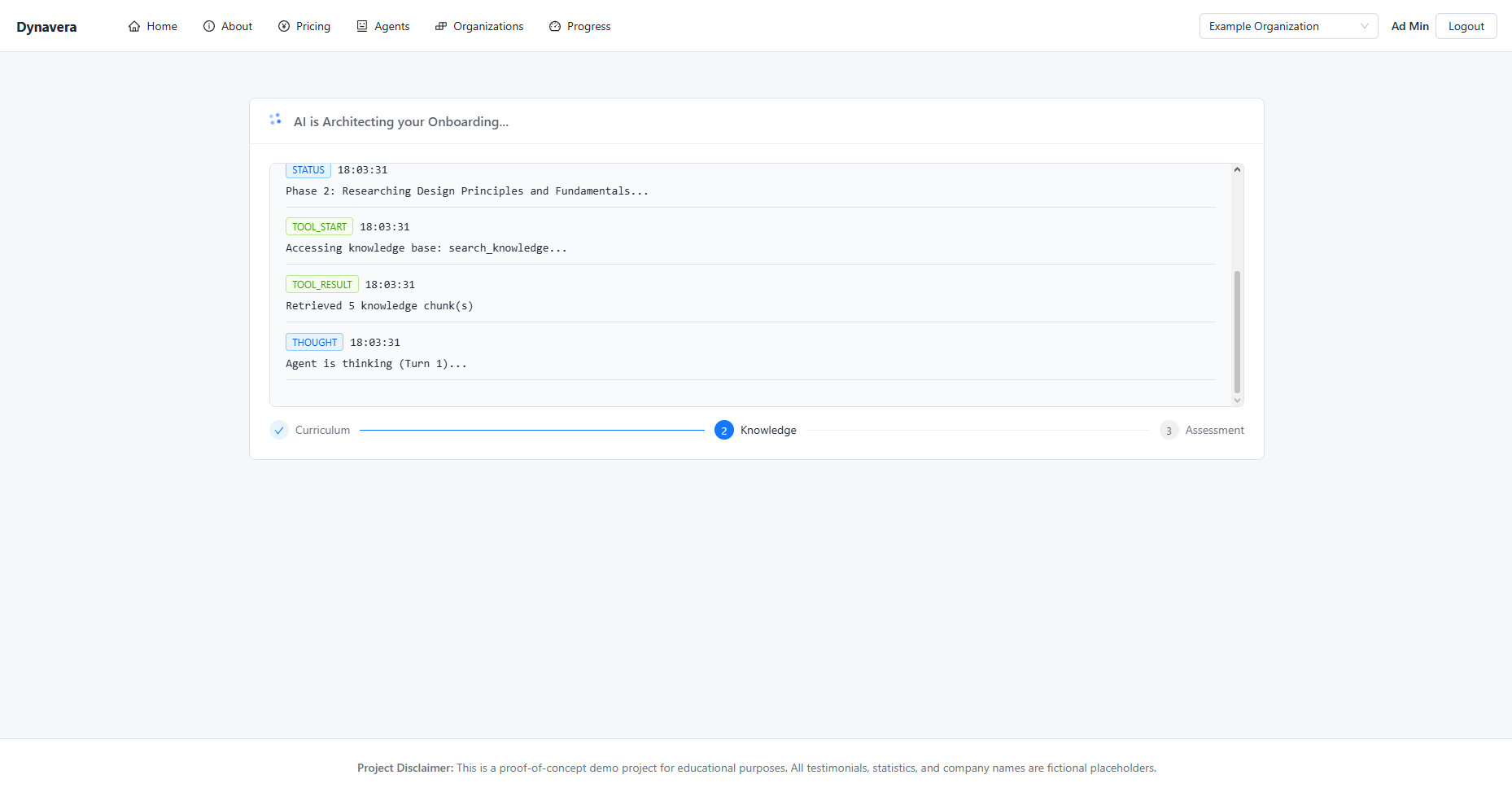
Onboarding generation state:
Onboarding content flow: